 Boron
打开编辑器
Boron
打开编辑器
Boron 是一款终端截图生成器
粘贴真实的终端输出,或直接输入内容,Boron 会保留 ANSI 颜色,让你像编辑文档一样修改内容,并导出为 PNG、SVG、JPEG 或 WebP 图片。 它免费运行于浏览器中,不会上传你的内容:解析和渲染都在本机完成。
Boron 绘制的所有内容都可以由真实终端的转义序列表达。颜色使用 Chalk 的 16 色调色板,样式也使用对应的 Chalk 修饰符, 因此你制作的图片与复制出来的转义序列是一致的。你可以先设计程序输出的效果,再把 ANSI 或 Chalk 代码交给开发者。
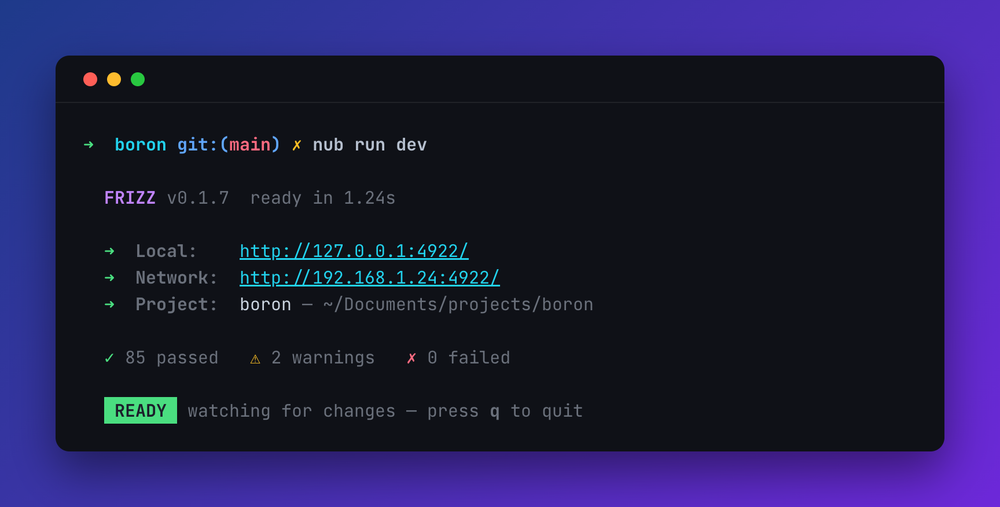
功能介绍
- 保留粘贴内容的颜色。 会完整解析 ANSI 转义码,包括 256 色和真彩色;对于支持富文本复制的终端,也会读取剪贴板中的样式。
- 像编辑文档一样修改。 选择任意文本片段即可重新着色,也可以直接输入内容。颜色使用 Chalk 的 16 个标准名称,而不是固定的十六进制值,因此切换主题时会自动映射。
-
选择矩形区域,而不只是文本片段。 终端输出是一个网格,因此经常需要修改纵向区域,例如表格的一列、
tree的缩进线或左侧时间戳。按住 Alt (⌥ on a Mac) and drag to select exactly those cells on every row. -
命令行高亮显示,输出内容淡化显示。 以
$、❯、单独的>或 oh-my-zsh 的➜开头的行会被识别为命令。 - 八种主题。 包括 Boron、VS Code Dark+、Dracula、Tokyo Night、Catppuccin Mocha、Nord、One Dark 和 Solarized Dark,每种主题都配有相应背景。
- 导出 PNG、SVG、JPEG 或 WebP,也可以直接将图片复制到剪贴板。SVG 会嵌入所用字体,因此在不同设备上也能保持一致的显示效果。
- 复制文本内容 ,格式可以是原始 ANSI、可运行的 Chalk 代码片段或纯文本。
- 通过链接分享。 The whole document and its settings travel in the URL, so a link opens the same picture for whoever receives it.
如何保留颜色制作终端截图
-
在终端中复制输出。大多数支持富文本的终端使用普通复制即可;下表列出了需要开启设置或使用其他快捷键的终端。也可以将原始转义码复制到剪贴板,例如
git log --color=always | pbcopy. - 将内容粘贴到编辑器中。程序会读取转义码或富文本,并将颜色映射到当前主题。
- 选择主题和背景,设置终端宽度(列数),还可以按需添加标题栏。
- 将其保存为图片、复制到剪贴板,或复制文档分享链接。
哪些终端可以复制颜色
支持富文本复制的终端会直接把颜色交给 Boron。只复制纯文本的终端也能使用,只要文本中包含转义码;例如将命令输出通过 pbcopy or xclip
gives you.
| 终端 | 复制时保留颜色 | 操作方式 |
|---|---|---|
| Ghostty | Yes, by default | |
| macOS Terminal.app | Yes, by default | |
| VS Code, Cursor (editor) | Yes, by default | |
| VS Code, Cursor (terminal) | Not on an ordinary copy | "Copy Selection as HTML" in the terminal's menu |
| iTerm2 | Not on an ordinary copy | ⌘⌥C, or turn on "copy with styles by default" |
| Konsole | Yes, by default | |
| Tabby | Yes, by default | |
| GNOME Terminal, Ptyxis | Not on an ordinary copy | "Copy as HTML" in the context menu |
| Windows Terminal | Off by default | Turn on copyFormatting in the settings |
| ConEmu | Off by default | Turn on CTS.HtmlFormat |
| PuTTY | Off by default | Turn on RTF copy in the selection settings |
| kitty | Escape codes in plain text | Bind copy_ansi_to_clipboard |
| Alacritty, WezTerm, Rio, xterm, Hyper, Zed, JetBrains, tmux, screen | Plain text only | Pipe the command's output to the clipboard instead |
常见问题
它与 carbon.now.sh 或 ray.so 有什么区别?
那些工具会根据编程语言为源代码添加语法高亮。Boron 读取的是程序实际输出的 ANSI 转义码,因此开发服务器启动、测试运行或彩色 ls 命令的截图,都能还原终端中的显示效果。
可以将 ANSI 输出转换为 SVG 吗?
可以。粘贴输出后选择保存为 SVG 即可。文件会嵌入所用字体,无论放大到什么尺寸都能保持清晰,适合用于 README 或技术文档。
终端只能复制纯文本,还能使用吗?
Yes. Boron reads the escape codes themselves, so pipe a command's colored output to the clipboard and paste that. Terminals with no rich copy at all, such as Alacritty, WezTerm and tmux, still get the command-line highlighting.
内容会被上传吗?
No. There is no server; parsing and rendering happen in your browser. A share link carries the document in the URL itself.
源码是开源的吗?
Yes, at github.com/colinhacks/boron.